
Knowledge Graph
Connections between widgets and visual relationship tracking
The Knowledge Graph: Connecting Your Ideas
Kreye doesn't just store your information; it understands it. All your widgets and their relationships are stored in a GraphRAG (Retrieval-Augmented Generation) system, creating a persistent knowledge graph.
How the Knowledge Graph Works
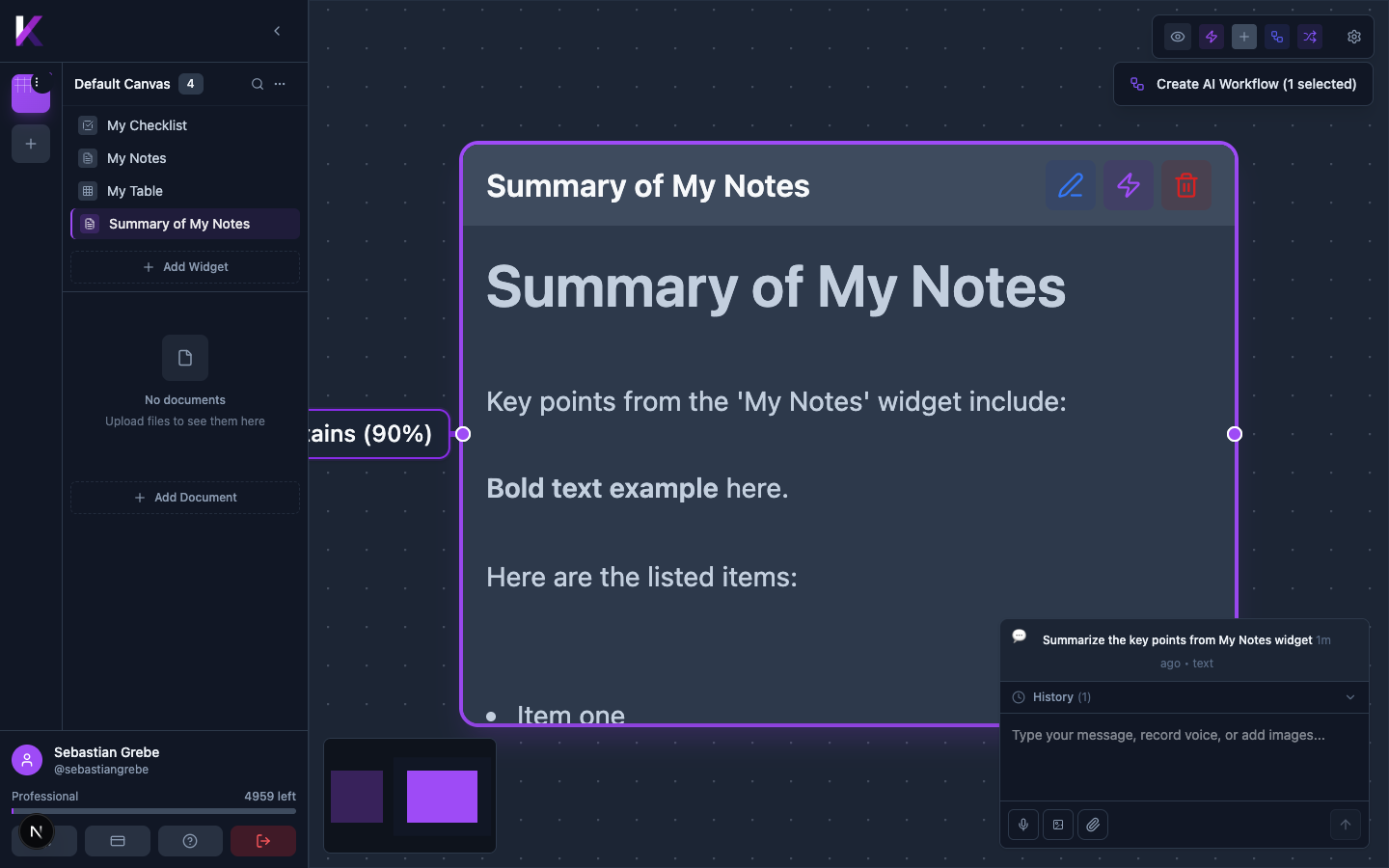
- Automatic Linking: When you transform a widget, Kreye automatically creates a visual link between the source and the new widget, showing the lineage of your ideas.
- Context-Aware AI: When you prompt Kreye, it doesn't just consider your immediate request; it leverages the entire knowledge graph to understand the context of your data, leading to more relevant and insightful responses.
- Visual Tracking: You can visually trace the connections between your widgets, providing a clear history of how your ideas have evolved.
Connection Controls
The top toolbar contains controls for managing visual connections between widgets — these connections form the knowledge graph linking related ideas.
| Button | Function |
|---|---|
| Hide all connections | Toggle all connection lines on/off |
| AI-inferred | Show/hide connections the AI created automatically |
| Manual | Show/hide connections you drew manually |
| Workflow | Show/hide connections created by AI workflows |
| Transformation | Show/hide transformation-type connections |
| Connection details | Toggle detailed labels on connection lines |